
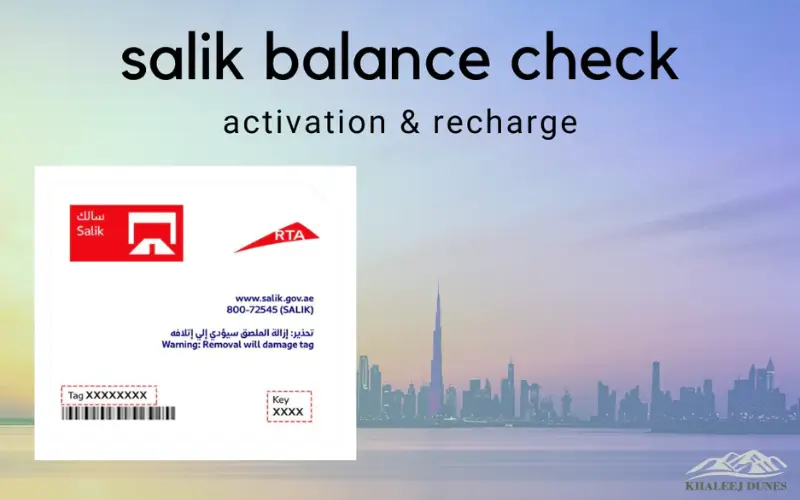
Salik, Dubai’s electronic collection toll system, was introduced in order to improve traffic flow on highways such as Sheikh Zayed Road and Al Khail Road. Salik charges drivers automatically for tolls when they pass through the toll gate, removing the need to pay.
Salik works with a tag that is attached to the windshield of your car and linked to your Salik account. The system automatically deducts toll fees each time you pass a gate. Residents, business owners, and tourists driving in Dubai use this system.
Why Checking Salik Balance is Important
It is important to maintain a proper Salik equilibrium. Here’s why:
- You can avoid fines by avoiding crossing a tollgate with an insufficient balance.
- Keep track of your spending.
- You can plan your trips more efficiently.
Methods to Check Salik Balance Online
Salik offers a variety of ways for you to easily check the balance.
Using the Salik Official Website
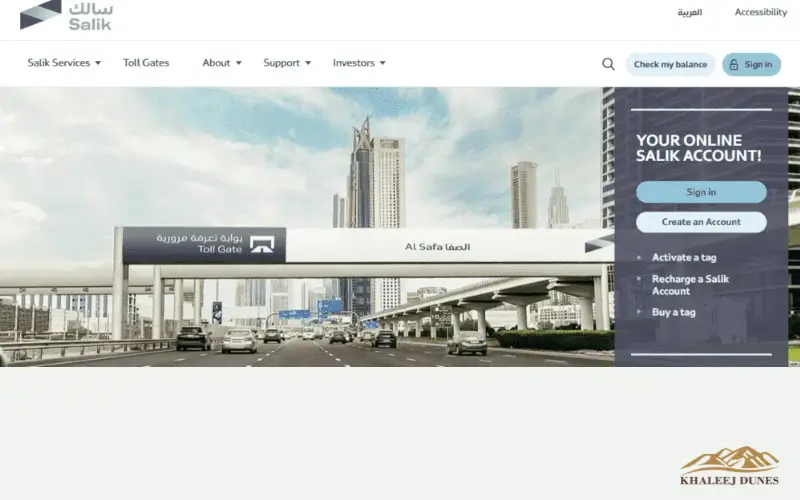
Salik’s website is the easiest place to find out your current balance.
Steps:
- Salik’s official portal is available.
- Use your Salik tag or vehicle number to log in.
- You can view your balance, previous transactions, and settings for auto-top-up.
Users can also update their account details and see detailed toll histories, which makes it an all-in-one solution for Salik.
Using the Salik Mobile App
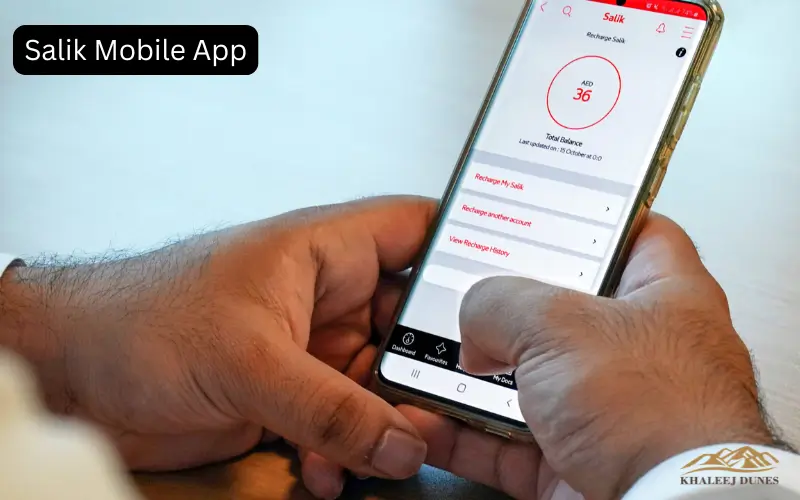
Salik is available on both iOS and Android. It is a convenient and fast way to handle your account.
Features:
- You can check your Salik balance in real-time.
- See the history of transactions with dates, toll locations, and transaction times.
- You can recharge your account using a debit/credit card.
- Auto-top-up is a great way to prevent running out of money.
- Get push notifications to notify you when your balance falls below a certain amount or after toll deductions.
It is ideal for commuters who are always on the go.
Checking Salik Balance via RTA Account
You can connect your Salik Tag to a Dubai Roads and Transport Authority account. You can:
- You can check your Salik balance online via RTA’s dashboard.
- Toll deducted in detail.
- Manage automatic top-ups and payment methods.
By linking your Salik with RTA, you can access all services related to transport, including vehicle licenses and Nol cards.
SMS and Email Alerts for Salik Balance
If you prefer to receive notifications via SMS or email, these are also available.
- Subscribe via the Salik Portal to receive SMS notifications whenever your account balance falls below a certain amount or when a toll has been deducted.
- Get email notifications that summarize all of your Salik transactions for the month.
The alerts will help you avoid unpleasant surprises and make sure that your balance is always sufficient.
How to Recharge Salik Balance Online
Linking Bank Cards to Salik Account
Salik can be recharged using your credit card or debit card.
Steps:
- Sign in online to Salik or through the Salik app.
- Click on the section Recharge.
- You will need to enter your credit card number and the amount of recharge.
- Verify that your balance is updated and confirm the payment.
Online payment with most UAE banks is safe and secure.
Setting Up Auto Top-Up
Salik’s auto-top up ensures your account will never run out of credit.
What it does:
- Set up a balance minimum (e.g. AED 50).
- Connect your bank account or electronic wallet.
- Your account will be automatically charged if the balance drops below the threshold.
The auto top-up system is perfect for families with multiple cars or frequent drivers.
Using Online Wallets for Salik Recharge
Salik supports online wallets like Apple Pay, Google Pay and PayPal UAE.
Advantages:
- Recharge instantly without having to enter card information each time.
- Keep track of your transactions using digital records.
- Multiple tags or easy management of business vehicles.
Checking Salik Transaction History Online
Viewing Past Toll Deductions
Salik’s website and mobile app allows you to track every transaction.
You can see the details here:
- Date and time crossing
- Location of Toll Gate
- Amount deducted
Download transaction reports to help businesses and individuals prove their toll expenditures.
Tracking Multiple Vehicles
Families or businesses with several vehicles can benefit from this service.
- Add multiple Salik tags on a single Salik account.
- All vehicles can be checked at the same time for balances and transactions.
- Manage alerts for auto-top ups and top-ups with ease.
The feature can be used for business and fleet management.
Common Issues While Checking Salik Balance
Login Problems on Website or App
The most common login problems include:
- Forgotten password
- After multiple unsuccessful attempts, account lockout occurs
Contact Salik Customer Support for assistance.
Incorrect Salik Balance Display
In some cases, the update of balances may take a while after a toll crossing.
- You will need to wait 24 hours before the new deductions are reflected in your system.
- Contact customer service if discrepancies persist.
Failed Recharge or Payment Errors
If online payments fail:
- You can check your bank account or electronic wallet for any pending transactions.
- Contact the Salik customer service line or try again.
Tips for Managing Your Salik Account
Avoid Insufficient Balance Fines
Checking your account balance regularly online, or via the Salik mobile app is one of the best ways to maintain your Salik. You can avoid fines by keeping track of your account balance. You can make the process simpler by activating the automatic top-up function, which will automatically replenish your account if the balance falls below a certain threshold. It will prevent interruptions in your journey and you won’t be penalized for not paying.
Keep Your Account Secure
To avoid unauthorised access, it is important to maintain the security of your Salik Account. Use strong, difficult-to-guess passwords and enable two factor authentication to increase security. To ensure your account is secure, you should never share your login details with others, including family members.
Use Alerts and Notifications
Use push notifications, SMS and email alerts to stay up-to-date on your Salik account. You can receive notifications about account changes, toll deducted recently, low balances and more by enabling the feature on your app. Subscribe to SMS or email alerts to manage your account proactively. This will prevent any unpleasant surprises at the Dubai toll gate.
Conclusion
It is easy, quick, and convenient to check your Salik account balance in Dubai 2026. Keep track of your Salik balance using the RTA portal or RTA website. This will help you avoid any fines and manage your spending.
Salik Credit will never be depleted if you enable auto-top-up and alerts. Manage your Salik account now and travel hassle-free in Dubai.
FAQs
Q1: How can I check my Salik balance online?
Log in using the Salik mobile app or website.
Q2: Can I check my Salik balance without logging in?
Subscribed users will receive SMS or email alerts.
Q3: How do I recharge my Salik balance online?
You can recharge your Salik account using the Salik app, via bank card, or through supported electronic wallets.
Q4: Can I view past Salik transactions?
The website and the app both show detailed transaction history as well as downloadable reports.
Q5: How do I set up auto top-up?
Allow auto-top-up in your Salik Account and connect a wallet or bank card.
Q6: How can I manage multiple Salik tags?
To monitor transactions and balances together, link all tags to a single account.
Q7: What should I do if my balance shows incorrectly?
Contact Salik Customer Support for assistance.