
Nobody wants to spend a lot of time in the queue or complete a laborious login to pay a bill in today’s quickly evolving world. People want a solution that is quick and simple, hat’s whether it’s their own mobile bill or someone else’s. That is when Etisalat Quick Pay is really very convenient. It’s a speedy and secure online payment service that enables you to pay your bills, top up numbers, and control payments without logging into an account.
What Is Etisalat Quick Pay
Etisalat Quick Pay is a service that enables bill payments without logging onto the Internet. Just a mobile number or account number is required to make a payment. For those who desire a plain, no-nonsense operation. You can easily enter the needed information and pay right there, without the need to set up an account or remember your PIN codes.
This service supports:
- Mobile bill payments
- Internet and eLife bill payments
- Prepaid recharge
- Payments for other people
- Business payments (bulk transactions)
You can use Quick Pay at any time, day or night, even on weekends and holidays.
How to Use Etisalat Quick Pay Step by Step
Quick Pay is extremely easy to use and hassle-free. This can be paid in minutes, and no sign-up is required. Simply take each step carefully to have a secure and smooth transaction.
Step 1: Go to the Official Website
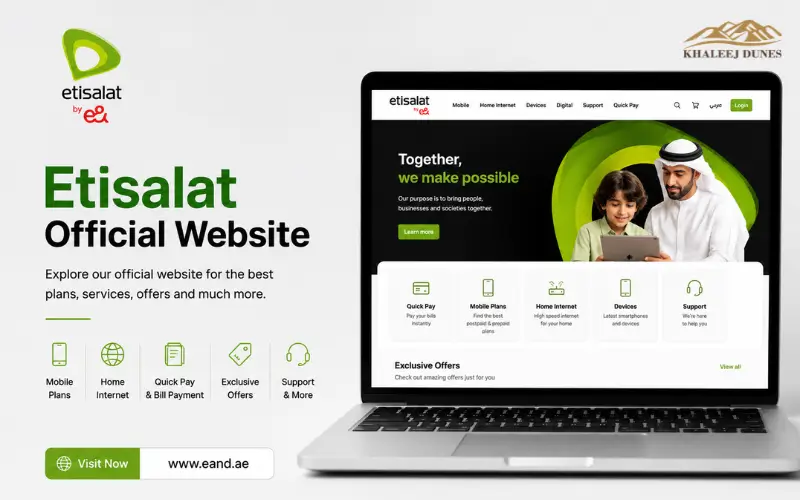
Go to the official Etisalat website and click on Quick Pay. On the official website of Etisalat, go to the QuickPay. Ensure the website is secure and trustworthy to safeguard personal and payment details. Do not click on an unfamiliar link, and double-check any link before entering.
Step 2: Enter Mobile or Account Number
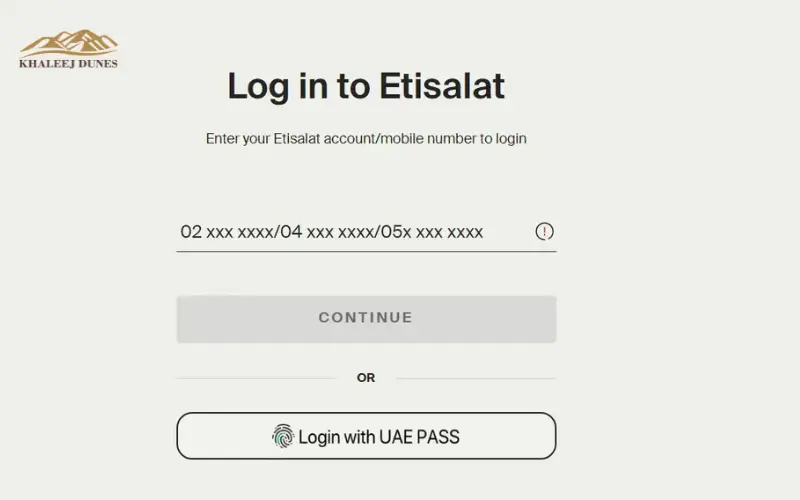
Enter the correct mobile number or account number for the bill to be paid. This step is crucial because it’s the information the system uses to locate the bill. Double-check the number prior to paying, to prevent paying the wrong account.
Step 3: Review Bill Details
After inserting a number, it will show your bill and the information regarding it. Carefully read through all information, making sure it’s correct. When anything doesn’t seem right, double-check the number before proceeding.
Step 4: Choose Payment Method
Choose a preferred payment method to pay by using a debit card, credit card, or digital wallet. Ensure that you choose a method that is well-balanced and appropriate. The step is needed to facilitate the transaction in an easy manner.
Step 5: Confirm Payment
Fill all details, and after pressing the confirm or pay button, proceed. Your request will be processed in a few seconds. Please do not refresh or close the page during this course of action, as it may lead to any payment problems.
Step 6: Save Confirmation
A confirmation message will be received if payment is successfull including details of the transaction. Please remember to keep the receipt or take a screenshot. This can help you monitor the payment or to troubleshoot it later.
Paying Through the Etisalat App
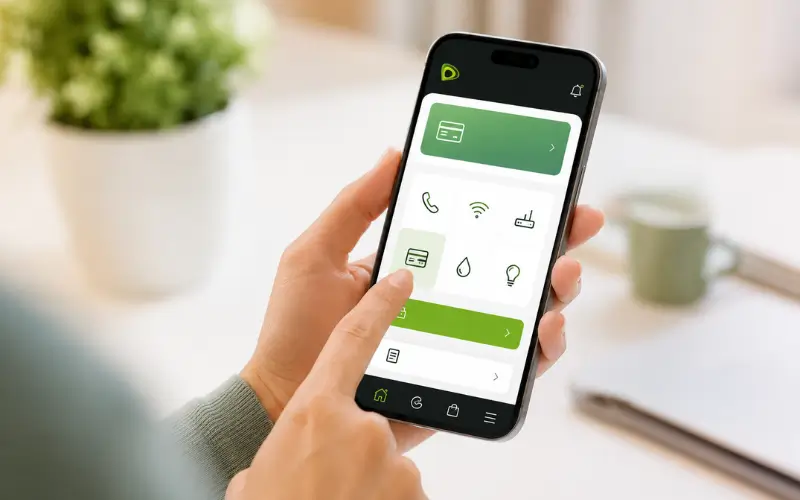
For those who want to do so via a mobile app, use the My Etisalat UAE App. This can include additional functionality beyond what Quick Pay can provide.
Using the app, you can:
- Save payment methods
- Track payment history
- Set up automatic bill payments to avoid late fees and delinquency.
It’s pretty much the same, though you might need a login to enjoy full access.
Can You Pay Someone Else’s Bill With Etisalat
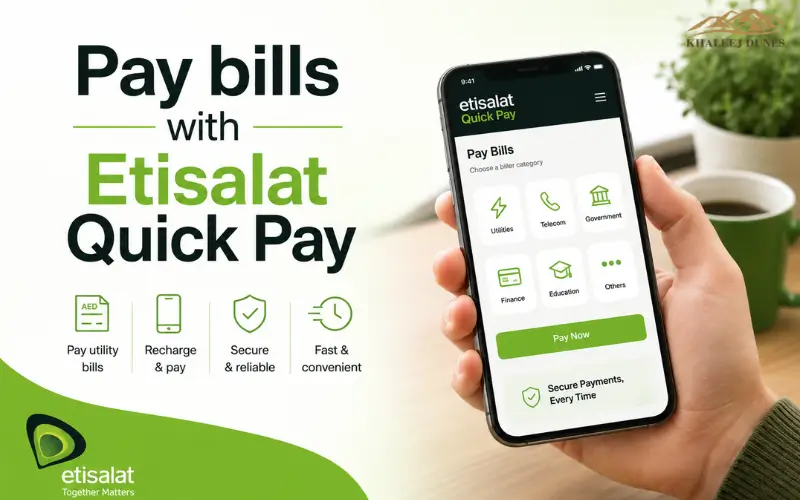
Yes, you can pay bills for others with Etisalat Quick Pay, one of the best features offered by the service.
No need to log into their account or know their password. All you need is:
- Their mobile number
- Or their Account No.
This is very useful if:
- A member of a family forgets to pay their bills. One member of a family misses paying its bills.
- A friend needs help
- You have to maintain multiple numbers
Just make sure you enter the correct number to avoid paying the wrong bill.
What You Need Before Making a Payment
Before you make any payments, you should do the following:
For Quick Pay to be used, one needs to have the correct information in hand. This helps ensure there is no mistake and goes more smoothly.
You will need:
- MSI or Account Number
- The method of payment – card or wallet.
- Stable internet connection
If possible, double-check the amount before ordering.
Recharge and Data Bundle Options
Etisalat Quick Pay is not just used to pay bills. It’s also possible to top up micro prepaid phone numbers and get prepaid bundles.
Prepaid Recharge
Any number can be easily recharged by entering the number and choosing the quantity of recharge to be added.
Typical recharge range:
- AED 5 to AED 500
Data Bundles
Another alternative is to also turn on internet packages like:
- Daily data plans
- Weekly data packages
- Monthly unlimited bundles
Paying Internet and eLife Bills
You can pay Internet and eLife Bills online with your credit card.
Internet and eLife services are also available at Quick Pay.
To pay:
- Click on either Internet or eLife.
- Please enter your account number:
- Assure the bill amount
- Complete payment
This ensures that you won’t have to worry about service disruptions at home.
Etisalat Payment Methods Comparison
| Feature | Quick Pay | Etisalat App | AutoPay |
| Login Required | No | Yes | Yes |
| Best For | Quick payments | Full control | Automatic payments |
| Speed | Instant | Instant | Scheduled |
| Card Storage | No | Yes | Yes |
The app and AutoPay are more suitable for paying regularly, whereas Quick Pay is more suited to payments that are to be made on a one-off basis.
Why Use Etisalat Quick Pay
It is important to use Etisalat Quick Pay for the following reasons:
Fast and Instant Payments
Normally, payments are made immediately with no interruptions to your services.
No Login Required
There is no login or password required. Simply place the number in and pay.
Available Anytime
The service is available 24/7, allowing you to pay your bills anytime.
Multiple Payment Options
You can pay using:
- Debit cards
- Credit cards
- Digital wallets such as Apple Pay or Google Pay.
Safe and Secure
Etisalat has implemented a secure payment mechanism and encrypted data for your security.
Common Problems and Solutions
Sometimes you may face issues while using Quick Pay. Some typical issues and solutions:
Payment Failed
This could be caused by network problems. After a few minutes, repeat step 4.
Card Declined
The transaction could be rejected by your bank. Get in touch with your bank or use another card.
Payment Not Updated
Allow 10-15 minutes. If the problem persists, please contact customer service.
Website Not Loading
Clear the Browser Cache or use a different browser.
Who is Eligible for Etisalat Quick Pay Services?
The following are numbers of all UAE’s customers having their Etisalat Quick Pay services available:
- Postpaid mobile users
- Foreign visitors applying for use of mobile services (for recharges)
- eLife customers
- Home internet subscribers
- Business account holders
This makes it a convenient payment option for both individual and business customers.
Accepted Payment Methods
To ensure secure transactions, Etisalat Quick Pay offers many payment methods that make them ease in making transactions. Payment is typically possible with Visa and Mastercard debit/credit cards and some devices allow payments via Apple Pay or Google Pay. There may be payment options that are different in various banks and on various devices.
Can You Use an International Card?
Etisalat Quick Pay can be used by customers who have payment cards issued by foreign banks as well, and their banks have activated international transactions. If your payment is refused, you are advised to call your bank to check for any restrictions on the card and payment with the other available eligible payment options.
How to Get Your Payment Receipt
Once you have completed the payment, Etisalat Quick Pay will show you the details for your transaction on a confirmation page. This is a good idea to download, take a photo or record the number of the transaction. It can be good to have a copy of your payment confirmation to have on hand if you need to confirm your payment or reach out to customer support in the future.
How Long Does Payment Processing Take?
All payments made using Etisalat Quick Pay are processed almost immediately resulting in no pointless delays to your services. Depending on the situation, it can take 5-15 minutes before the payment appears on your account, for example when you are checking your bank account or you are temporarily maintaining your system. Ensuring the payment is still not recorded after this period could prompt to reach Etisalat customer service using the transaction reference.
What If You Payed The Wrong Number?
Quick Pay is very quick at handling transactions, so when a trans- In case the user accidentally inputs the wrong data, he or she should contact the Etisalat customer support as soon as possible. To minimise the risks of possible mistakes, always make two checks: double-check the mobile or account number before confirming your payment.
Why Choose Quick Pay Instead of Visiting a Store?
The ability to pay faster and in a more convenient way eliminates the need to visit a physical service center and thus offers an alternative to the same service popularly provided by Etisalat Quick Pay. There are no queues, as customers can pay bills or recharge their prepaid numbers, or make payments on behalf of family members 24/7. The service is available online and every time day, which renders it more adaptable for every person that needs its services yet has a tight agenda.
When to use the My Etisalat UAE App?
While Etisalat Quick Pay is ideal for one-time or occasional payments, the My Etisalat UAE app is a better option for customers who regularly manage their accounts. Other features that were available include payment history, tracking bills, setting up AutoPay, services management, and saved payment methods, which were well suited for long-term account management.
Customer Support
In case of any problem occurs during a payment, like failing a payment or delayed account update, then the customer support personnel of the Etisalat are available to assist you. Your Payment Receipt/Transaction Reference Number will enable the Support team to confirm your payment as soon as possible and help you efficiently.
Limitations of Etisalat Quick Pay
While Quick Pay is intended to be a quick and easy payment solution, it offers less thorough account management capabilities. For those who wish to check billing information in detail, edit their account, cancel or change subscription or view other account settings, they should download the Etisalat UAE app or log in to their Etisalat online account.
Why Payments May Fail
Sometimes, a payment can fail if account information is misentered, if the bank has restricted payments, if the internet connection or your bank’s payment system is down, or if its scheduled for maintenance. Do not proceed if the transaction is not successful, double-check all payment data, wait a few minutes and try again. The next best steps are: First: contact your bank; Second: contact Etisalat Customer Support.
Common Mistakes to Avoid
Here are some pitfalls to avoid to make payments run smoothly:
- This is where you will need to put in the wrong cellphone number.
- Failure to check details on bills. Failure to read the bill information
- Using an expired card
- It takes just a few seconds to close the page before confirmation.
- Not saving the receipt
An additional moment to verify can protect you from challenges.
Safety Tips for Secure Payments
As long as you take a few precautions, online payments are safe:
- Using the official website of Etisalat is always recommended.
- Do not use a public WiFi service for entering credit card information.
- There should be a secure lock icon in your browser.
- Do not give out your OTP to anyone.
- Save a copy of your receipt of payment.
By following these steps, you can help avoid any loss of money and personal information.
Pro Tips for a Better Experience
Some tips to make it even better:
- Keep receipts on hand for review purposes
- Reminding yourself to avoid any late payments.
- Pick trusted gadgets to do transactions
- Look out for offers or discounts
- Example – If you have regular bills, use AutoPay
Final Thoughts
In the UAE, searching for an easy way to manage telecom payments, you will find Etisalat Quick Pay with just one click. It also saves time, helps eliminate logins, and provides the ability to pay bills or recharge numbers in minutes. Paying or assisting with the payment of bills, whatever it entails, is easy and tension-free with Quick Pay. Simply be sure to give the proper information and safety precautions. With the use of this service properly, you can remain linked without getting any traps or complications.
You Also like:
Etisalat Monthly Data Package UAE – Plans, Cost and Subscription Steps
Etisalat SIM Card Renewal
FAQs
Do I need to create an account to use Quick Pay
No, you can pay without being logged in.
What’s the speed of the payments?
The payments are generally instant, but can take a couple of minutes to process.
Is it possible to pay on his behalf?
Yes, you’ll just need their number or account ID only.
Is Quick Pay safe?
Yes, it does have secure payment methods and encryption.
Is it possible to pay some of the bill?
Partial payments may be possible, subject to the account.
Disclaimer:
The information in this article is for general informational purposes only. Etisalat Quick Pay features, payment methods, charges, and service availability may change over time. Always verify the latest details on the official Etisalat website before making any payment.