
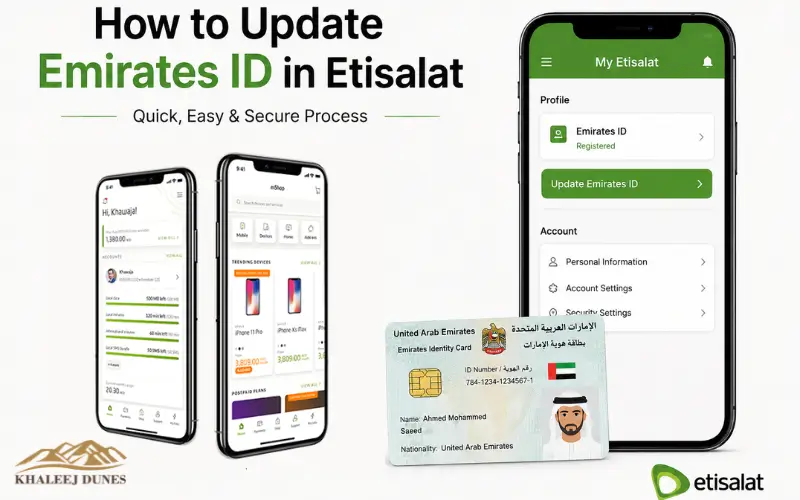
You can update your Emirates ID in Etisalat (e&) in minutes using the e& UAE app, the official website or the Etisalat customer service center. All you have to do is sign in with your account and your UAE Pass, verify your ID, confirm the updated details of your Emirates ID and submit your request. If you are approved, you’ll get a confirmation notification. Having an up-to-date Emirates ID means no service disruption, convenient account verification and an up-to-date mobile registration in line with the telecom’s requirements.
Each customer must maintain continued up-to-date registration details for their mobile. Updating the Emirates ID attached to your mobile number when your ID has expired, been renewed, or superseded will help avoid service interruptions and will ensure compliance with telecom regulations. In fact, e& (formerly Etisalat) has simplified the update process. Customers can authenticate themselves on mobile app, website or go to a customer service center. Most of the requests are fulfilled promptly with accurate information.
Why Updating Your Emirates ID Matters
All the mobile numbers need to be connected to a valid identity document. Your telecom records must be updated whenever your Emirates ID expires or if it changes.
An identity that doesn’t match the current record may lead to a variety of problems, like getting your services stopped and/or a delay in getting support with your account if you need it. It is important to update information to make sure that your registered mobile number is active and that future account checks go seamlessly. Your new information is also utilized each time you:
- Update your mobile registration.
- Change or replace SIM card.
- Transfer account ownership.
- Request account recovery.
- Access certain digital services.
Maintaining up-to-date records is an easy thing to do that can help avoid larger issues in the future.
When Should You Update Your Emirates ID?
Many customers assume they only need to update their details after receiving a reminder message. However, there are several situations where updating your identity should be done immediately.
| Situation | Should You Update? |
| Emirates ID renewed | Yes |
| Lost ID replaced | Yes |
| New identity number issued | Yes |
| Personal details corrected | Yes |
| Expired ID replaced | Yes |
Updating your details soon after receiving your new Emirates ID reduces the chances of account restrictions and avoids last-minute verification requests.
Requirements Before You Begin
Just before you are about to begin the update, ensure that you have everything in place. It is easier to conduct the verification if you have the information ready in advance. Typically you need:
- An Emirates ID.
- Permission to use the registered cell phone number.
- A UAE Pass account that has been verified for online verification.
- Good Internet connection for Digital communication.
- Most up-to-date e& mobile app.
For office visits, bring the original Emirates ID not a copy, to visit the office. Sometimes we will require you to show us the physical document before we can process your request.
Ways to Update Your Emirates ID
By providing the variety of options, customers can pick the method which works best for them. You can do all the work on your computer, or you can talk to a person.
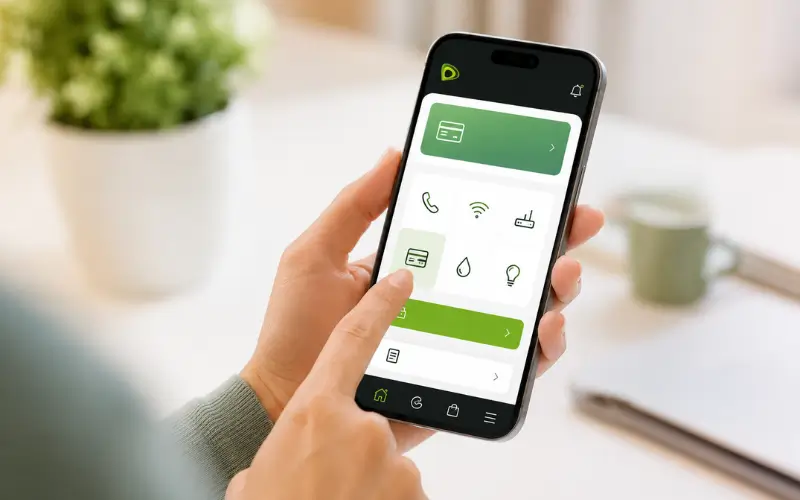
Update through e& Mobile app
Instead, the official mobile application will be the quickest solution for the majority of your customers. Once users log in to the app, it helps them through secure identity verification. After confirming your information, the request goes on to be made electronically. This approach saves time and paper and makes it possible to carry out the process anywhere. The app also has a feature that allows you to check the status of your request and ensures that you’re notified when it gets processed.
Through Official Website
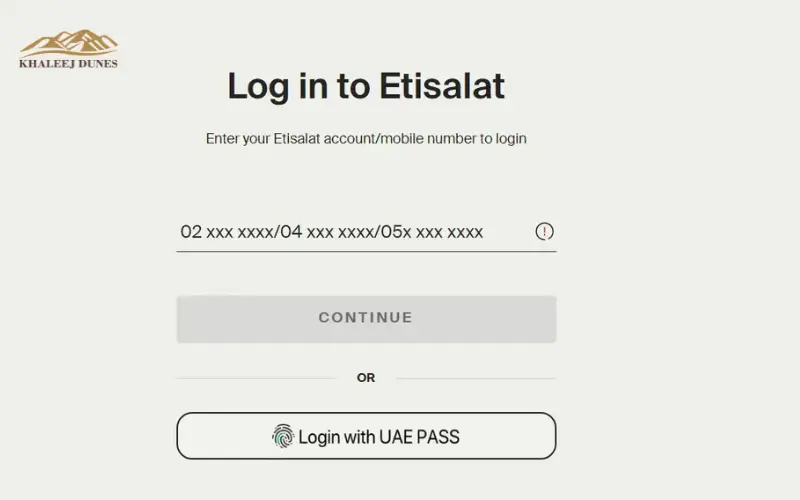
Once you log in with your account or UAE Pass, you will have to confirm your identity. After the authentication, your (new) information will be safely transmitted to your mobile account. The web portal provides the same functionality as the mobile app and is great for those who are more at home in a desktop browser.
Step-by-Step Guide Using Mobile App
When using the mobile app to update your information, here’s a quick overview of the process:
- Unlock the e& mobile app.
- Log on with your registered ID.
- Go to your profile or account settings.
- Choose Emirates ID update.
- Please use UAE Pass as ID.
- Check the information shown.
- Submit the request.
- Be sure to wait for the confirmation notification.
Most requests will be processed within a short amount of time, but may take more time if required by system checks.
What Happens During Verification?
Many users, they are wondering what is happening after the request has been submitted. The system checks the identity by comparing the information attached to the Emirates ID and the registered mobile account. This secured process ensures that an authorized change is not made in the account, and the right customer is associated with the mobile number. When everything is complete (matches), the request goes to processing. In the event of a mismatch, further verification may be needed to be submitted for approval.
Processing Time
Digital requests are generally acted upon quickly. Time for processing varies by issues of system traffic, identity verification, and/or the need for additional evaluation. SMS / App notification is usually sent to the customers to indicate whether the update is approved or there needs to be further action on the part of the customer. Filling out your initial submission correctly reduces the delays greatly and the verification requests that may have to be sent.
Also visited:
How to Renew Etisalat SIM Card Online in UAE Without Visiting Service Center
Common Reasons Updates Fail
While easy, it is not easy enough that some requests are denied because of preventable errors. The most common causes are:
- Expired Emirates ID.
- Incorrect personal information.
- Mobile phone number registered in the name of somebody else.
- Incomplete identity verification.
- Temporary authentication errors.
- Running an outdated version of the application.
- Much can be gained by being able to resolve these issues before the request.
Such issues are common and might have to be prepared in advance to complete the Emirates ID update in the Etisalat process effectively and avoid any unnecessary delays.
Updating Your Details at an e& Customer Service Center
Although convenient, it has been preferred by some customers prefer to speak to a representative. If you’re having verification problems, cannot log on to your account or require help with several services, you may want to visit an e& customer service center.
Once at the service center, you’ll have to provide your Emirates ID for verification. Representative confirms identity, examines the account and makes updates to the registration data in the system. Upon completion, you’ll be told that the request is accepted.
Using Self-Service Kiosks
Some e& branches also offer their customers kiosks where the customer can do a lot of the same customer service in the branch without having to wait for someone to respond.
The kiosks will have a user-friendly interface that will lead users through the identity verification and updating of accounts. You will need to scan your Emirates ID or log in using your registered mobile number depending on where you are. Not all branches may offer this service but kiosks can save a lot of time when crowds are at their peak.
What Documents Are Required?
The documentation required depends on the update method you choose. Fortunately, the list is short.
| Update Method | Documents Needed |
| Mobile App | Valid Emirates ID, UAE Pass |
| Website | Valid Emirates ID, UAE Pass |
| Customer Service Center | Original Emirates ID |
| Self-Service Kiosk | Emirates ID and registered mobile number |
If your Emirates ID has recently been renewed, ensure that the new card has already been activated before attempting to update your account.
How to Check Whether Update Was Successful
Once you make a request, it is good to make sure that you have been successful in getting the changes to work. You can verify your update in a number of ways:
- Check for an SMS confirmation.
- Check account information on the e& mobile App.
- Please sign in to your online account and check your personal information.
- If it does not come through within the normal processing time, please get in touch with customer support.
Don’t give a second update request unless told to do so – multiple requests may result in slower processing times.
What If Your Request Is Rejected?
In some instances customers will get a message saying the request could not be fulfilled. This does not necessarily indicate a serious problem. Common reasons include:
- Information inputted is not accurate.
- Emirates ID is yet to be activated upon renewal.
- The registered mobile number is owned by someone else.
- No verification was achieved with UAE Pass.
- There were technical problems during the submission which delayed it.
If denied, read carefully the reason given. Fix the problem and submit a new request. When the issue persists, next best thing is to visit an e& customer service centre.
Tips to Avoid Delays
There are many mishaps due to issue of hurried customers or focusing on minor details while verifying. Please keep in mind that if you are going to submit a request, please ensure that:
- You have correct Emirates ID.
- Personal information is the same as official information.
- Your registered Mobile No is ON.
- Your internet connection is very stable.
- You have the latest version of the Mobile App.
- Authentication of UAE Pass is successful.
Several additional minutes spent checking and confirming these things can save many hours of unnecessary troubleshooting.
Is There Any Fee?
Customers can change their Emirates ID details associated with their mobile account for free, for the majority of customers. Other set-up services, like using the new SIM card, owner change, and premium services, may be charged extra; however, if they are a part of your visit. When requesting extra services, it’s always best to double-check if there are any other charges.
Can Someone Else Update the Account?
If another person tries to update the account, then more authentication or paperwork might be necessary. In order to prevent unauthorized changes to customer accounts this policy is put in place.
Security Measures During Verification
One of the crucial safeguards for customers’ accounts is identity verification. In the course of the update process, e& verifies secure authentication of the request for identity with the legitimate account holder. There may be a variety of testing methods, including verification that involves:
- UAE Pass authentication
- One-time password (OTP)
- Confirming the registered mobile number(s):
- Emirates ID validation
These security measures minimize the chances of fraud and hacking.
Processing Time – FAQs
Often customers want the update to happen immediately. Some requests will take longer to process due to further verification. Some of the following factors can impact processing time:
- High system demand.
- Identity mismatches.
- Recently renewed Emirates IDs that have not yet synchronized across government systems.
- Temporary technical maintenance.
If it is still pending when you expect it to be done, you’ll need to reach out to customer support.
Best Practices After Updating Your Information
After your identity has been verified, a few minutes should be taken to review your account.
Check that:
- Your name is spelled correctly.
- The mobile number registered is correct.
- Your contact email address is still up-to-date.
- Recovery info updated.
- Notifications are enabled.
Accurate account details make requests easy for the following time, whether you change your mobile plan, replace your SIM card or access digital services.
Conclusion
Changing your identity information is one of the most straightforward matters that may keep your cell account active and secure. It can be done through the e& mobile application, the official website, self-service kiosks or through a customer service center; the time and interaction should be minimized to make it as simple as possible for the customer.
Ensure that your Emirates ID is valid before you request it, that there are no errors in your account information, and that you have the registered mobile number. Even the smaller of these checks can keep matters from getting delayed or give improved odds of immediate approval.
Don’t worry if there are problems with verifications. Issues are most commonly due to a lack of updated information, a temporary authentication issue, or a mismatch of account details and can typically be resolved by following the recommended steps or reaching out to customer support.
Also visited:
Lulu ATM Balance Check – Complete Guide (App, SMS, ATM & Online 2026)
Etisalat Quick Pay Guide 2026 Easy Bill Payment Recharge and Tips
FAQs
How can I update my Emirates ID in Etisalat online?
To update your details you can log into the official e& mobile app or website and verify your identity with UAE Pass. Upon verification, send the request and await confirmation message.
What is the time period required for an Emirates ID upgrade at Etisalat?
The majority of online requests are fulfilled within a few hours. However, it can take longer if further identity verification and/or system checks are needed.
Is there a way to update my Emirates ID without going to a Customer Service Centre?
Yes. For the most part, usual clients can finish the entire procedure with regard to the internet — by means of the e& application or website — from the comfort of their own home.
Do there exist any charges for updating Emirates ID?
Changing your identity details to your mobile account is typically complimentary. Charges will only apply if extra services are requested, such as a replacement SIM.
What if a customer had to go through Emirates ID updates to renew their ID and their bank details had been rejected?
Most requests are denied due to expired identification, wrong information on the account, lack of user identity verification, or a discrepancy between the information provided and that of the official records.
What kind of documents will you need for the update?
To sign up for updates online, you typically require an Emirates ID and access to your UAE Pass account. When visiting a customer service center, have your Emirates ID card with you for reference.
If my request for an update is pending, what should I do?
Wait for your app to update if it hasn’t updated within the expected time, wait for an SMS confirmation, or contact e& customer support for a response. Do not submit duplicate requests – if the original request takes longer to complete, do not submit another request.